
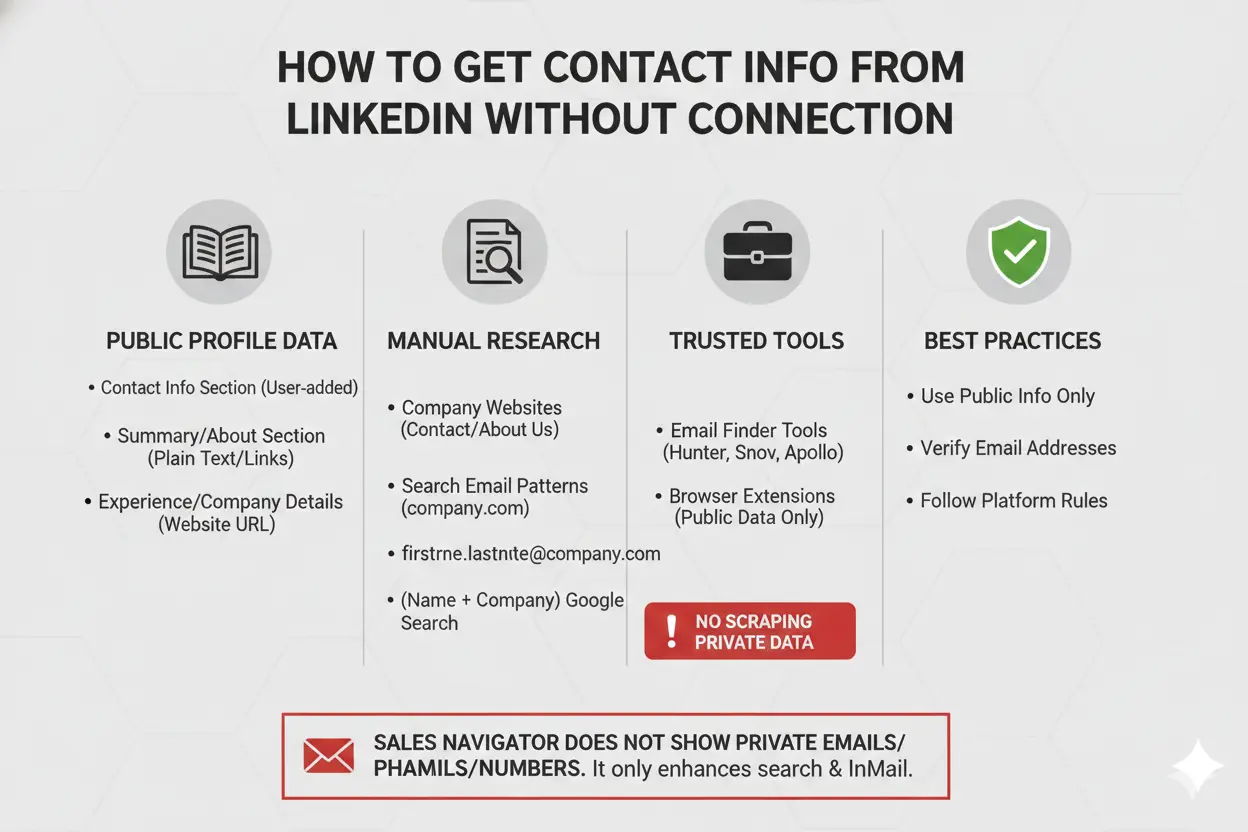
LinkedIn is a professional networking platform. It does not show contact details unless you connect.
Many users try to get email from LinkedIn without connecting. This is common in outreach, hiring, and lead research. LinkedIn limits access to user data, but public profiles still show some information.
This guide explains how to get contact info from LinkedIn without connection using safe and practical methods. The focus is on public profile data, manual research, and trusted tools. No shortcuts. No risky tactics. Only methods that work and follow platform rules. You will also learn how to get contact numbers from LinkedIn Sales Navigator and understand LinkedIn Contact Info visibility. If you want to make your linkedin post stunning you should use Aim IT Solution linkedin text formatter tool.
Table of Contents
Where to Find Contact Info on a LinkedIn Profile
Some LinkedIn profile information stays visible even without a connection. Public sections may show email addresses, websites, or company details.
Public Contact Info Section
Some users add email addresses or websites in the Contact Info section. You can view this by opening a profile and clicking “Contact info.” LinkedIn only shows details the user makes public. This is important when learning how to get contact info from LinkedIn without connection for free.
Profile Summary and About Section
Some users list professional emails or business websites in the Summary or About section. These details usually appear as plain text or links.
Experience and Company Details
Profiles often show a company name and website. Company websites may follow common email patterns, such as firstname@company.com. You can use these patterns to identify possible work emails.
Does LinkedIn Sales Navigator Show Contact Info?
Many users expect Sales Navigator to show email addresses. It does not.
LinkedIn Sales Navigator does not display private email addresses or phone numbers. It only expands profile access and search features.
Sales Navigator allows users to send InMail messages to people outside their network. It also shows more profile details, such as job changes and company growth.
Email addresses appear only when a user adds them to the public Contact Info section or lists them on external websites. Sales Navigator does not override these privacy settings. Knowing LinkedIn Contact Info visibility is key when using Sales Navigator.
Sales Navigator helps with lead research and messaging. It does not provide direct access to private contact details. You can, however, learn how to get contact number from LinkedIn Sales Navigator safely.
How to Extract Contact Info from LinkedIn Profile Using Tools
Manual search does not always show contact details. Some tools can identify work emails from public sources. These tools do not access private LinkedIn data.
LinkedIn Email Finder Tools
Tools like Hunter.io, Snov.io, and Apollo.io identify professional emails linked to company domains. They use public web data and common email patterns. Avoid tools that access private profile information.
Browser Extensions
Some Chrome extensions display public contact details from LinkedIn profiles. Use extensions that follow LinkedIn rules. Do not use tools that scrape private data.
Best Practices
- Use public information only.
- Avoid sending bulk messages.
- Verify email addresses before contact.
Why LinkedIn Restricts Contact Info for Non-Connections
LinkedIn hides contact information by default. Email addresses and phone numbers stay private unless a user allows access.
These restrictions reduce spam and control who can send messages. A user must accept a connection request before others can see contact details.
Non-connections can view basic profile data. This includes name, job title, company, and public activity. Contact details stay hidden unless the user changes profile settings.
Manual Ways to Find Contact Details Without LinkedIn Connection
You can find contact details through public sources. These methods use information outside LinkedIn.
Use Company Websites
Check the company website listed on the profile. Many companies publish work emails or contact pages. These pages provide official contact information.
Search Email Patterns
Companies often follow standard email formats, such as firstname.lastname@company.com. You can identify a possible work email using the person’s name and company domain. Always verify the email address.
Use Google Search
Search the person’s name with their company name. Public websites, press releases, or professional pages may show email addresses. This is another method to get contact info from LinkedIn without connection for free.
Is It Legal to Get Contact Info from LinkedIn Without Connecting?
You can access contact information only when it is public. LinkedIn does not show private emails or phone numbers to non-connections.
Allowed Methods
- Check the user’s About or Contact Info section.
- Visit the company website for work email addresses.
- Use email finder tools that rely on public data.
- Search on Google using the person’s name and company.
Methods to Avoid
- Scraping private LinkedIn profiles.
- Using automation tools that bypass privacy settings.
- Sending bulk or repeated messages.
These methods help users find contact information using public sources only.
Common Myths About Getting Emails from LinkedIn
Many users believe LinkedIn does not show emails that tools can reveal. This belief is incorrect.
Myth 1: Sales Navigator shows private email addresses
Sales Navigator does not display private emails or phone numbers. It only improves profile search and messaging access.
Myth 2: Chrome extensions extract emails from LinkedIn profiles
Chrome extensions cannot access private LinkedIn data. They only show emails found on public web pages or company websites.
Myth 3: LinkedIn allows email scraping
LinkedIn does not permit scraping of private profile data. Scraping violates LinkedIn account policies.
Myth 4: Every LinkedIn profile has a hidden email
Many profiles do not include any public email address. Some users choose not to share contact details online.
Email visibility depends on user settings and publicly available sources. It does not depend on tools or paid plans.
Conclusion
LinkedIn does not show email addresses or phone numbers to people who are not connected. This helps protect user privacy.
You can still find contact details if a user shares them publicly. These details may appear on the profile, on a company website, or on pages indexed by search engines.
Do not try to access private data. Do not use tools that bypass LinkedIn privacy settings.
Public sources are the only reliable way to contact someone without a connection. Learning how to get contact info from LinkedIn without connection for free or using Sales Navigator safely is key for professional outreach.