Free Domain and Hosting with Website Builder
Free Domain and Hosting with Website Builder
Introduction
Hi there, I welcome you to this blog post where you will get to know about free domain and hosting, and you can install WordPress easily. How it’s sound amazing, let me know in the comment, so if you are the person who is looking for the free domain and hosting, then you are in the right place. All your queries related to this end here. There are several options available in the market that provide domains and hosting, but the problem is they are paid, but as if you are new, you don’t want to waste your money and want to learn first practically.
So let’s understand about domains and hosting.
What type of domain do you get?
The domain you get will be the subdomain that is provided by the domain and hosting service provider.
Let’s understand first what domain is.
The domain name is the address of your website on the internet, so people can type the domain and visit the website. Now I think it’s clear, and now Let’s understand what is hosting.
What is Hosting?
Web hosting is like a space for your website on the internet. Where all the data related to your website is stored in the hosting in simple terms Hosting is a computer that provides space for your website to store data in exchange for money, but here we are going to talk about free hosting. So don’t worry, first let’s clear the concept of it, then you will get it easily. Now let’s know the website that provides free hosting and domains.
Free Hosting and Domain
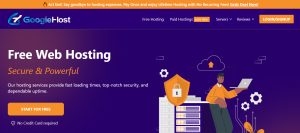
Here I am going to introduce you to the website googiehost, which provides free domain and hosting.
So what you need to do here you just need to do:
Step 1
1) Visit https://googiehost.com/
2) Then click Start for Free.
3) Then it will ask for a Create Free Account.
4) Click on that, and it will scroll down.
5) Then you will have to click on Proceed with Free.
Then it will take some time for you to find the server near you.
6) Then the screen will appear, which asks for Register a new domain
7) Then you will have to click on Use a subdomain from GoogieHost.
8) Enter your domain and check it’s available or not.
9) If it’s available, then click on the continue button to the right-hand side.
But remember don’t add SSL; otherwise, it will add a cost, so as you are learning, don’t go for it.
10) Then click on the Checkout button.
11) Fill out the details and click on complete order.
That is the very easy process to get a free domain and hosting from Googiehost. Now let’s talk about website builders, or CMS. In this blog, we are going to learn how to set up WordPress for your website and install it.
If you want to know about how to install WordPress, let me know in the comments. I will create another blog on it. Now let’s talk about plugins.
Plugins
Plugins are a good way to create a website if you don’t know how to code or are not aware of HTML, CSS, Javascript, etc. You can use plugins to create a good website, which includes mobile-friendly, SEO, and so many other tools.
There are several plugins that you can use.
1) Elementor
2) WP Rocket
3) WP Form
and so on, or you can choose a theme according to your website, whether you are in the real estate business, so select the theme accordingly.
You can easily create a website using the plugins and customize the content and menus of the website.
You will gain a lot of insights while using the plugins and WordPress for beginners. It is a very good platform, which I see you don’t wonder about here and there. Domains from somewhere and hosting from somewhere are both available here.
If you want to learn about SEO, I would like to give you a brief introduction to the SEO
There are three types of SEO.
1) On-page SEO
2) Off-page SEO
3) Technical SEO
You will have to work on these three aspects if you want to optimize your website for the search engine result page. It is not as simple as it looks but not complicated, but you will have to learn in the beginning you don’t know whether your site is optimized or not. Once you start optimizing your website,. You will start gaining experience.
Conclusion
In conclusion, using free domain and hosting services like GoogieHost is a great way to start your own website without spending any money. This means you can learn how to build a website using WordPress, which is easy to use. By following the simple steps in this blog, you can set up your website quickly and start exploring all the cool plugins that can help make your site better.
Remember, while free services are helpful, they might have some limits. But they are perfect for learning and trying new things. If you have any questions about installing WordPress or using plugins, just leave a comment, and I’ll be happy to help!
So, go ahead and start building your website with GoogieHost. Have fun creating your online space!