
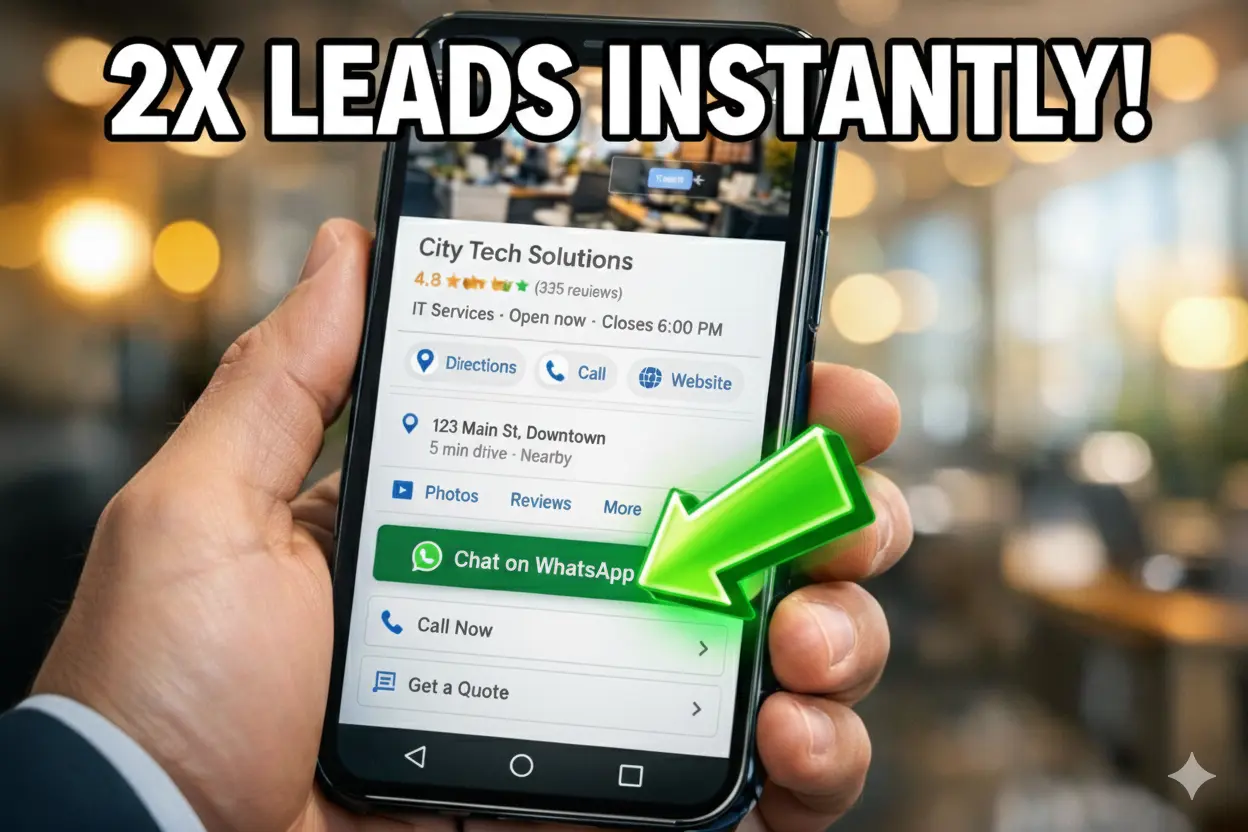
The One Toggle You’re Missing: How to Connect WhatsApp to Google Maps for 2x More Leads
In the world of local SEO, friction is the ultimate lead killer. Every extra click a customer has to make—and every form field they have to fill out—is a prime opportunity for them to bounce and choose your competitor instead.
But a small, often overlooked “toggle” within your Google Business Profile (GBP) is changing the game. By bridging the gap between Google Maps and WhatsApp, savvy business owners are seeing lead conversion rates double overnight. Here is exactly why your current setup is leaking money and how this one integration fixes it.
Table of Contents
You can explore our blog for such blogs of Aim IT Solution.
How to “Toggle” WhatsApp
Most business owners fail because they try to shove a WhatsApp link into the “Website” field, which Google often rejects. To get the WhatsApp toggle to appear as a prominent Call-to-Action (CTA), you must follow this specific 2025 hierarchy.
1. The Native “Chat” Integration (The Official Way)
Google has officially rolled out a third-party chat integration to replace the old “Business Messages.”
- The Check: Log into your GBP dashboard and go to Edit Profile > Business Information > Contact.
- The Toggle: Find the Chat section. If your region is eligible, you will see a dropdown to select WhatsApp.
- The Link: Paste your WhatsApp “Click-to-Chat” URL here.
2. The “Appointment URL” Workaround (The Expert Fallback)
If the native toggle isn’t visible in your dashboard yet, use the Appointment Link field. This creates a high-visibility button on your profile.
- Technical Fix: Do not use a raw wa.me link here, as Google’s bots may flag it as an “untrusted redirect.”
- The Expert Move: Use a branded bridge page (e.g., yourbusiness.com/chat) that redirects to WhatsApp. This passes Google’s “Safe Browsing” checks and looks more professional to the user.
3. Verification & The “24-Hour Rule”
Once you update your profile, Google’s AI reviewers will “crawl” the destination. Ensure your WhatsApp Business profile is set to Public and your business name matches your Google listing. Edits usually take 2 to 24 hours to reflect live on Google Maps.
📈 The 5-Minute Rule: Why WhatsApp Converts 100% Better
Adding the button is only half the battle. The reason this “toggle” doubles leads is Speed-to-Lead.
The “Death of a Lead” Timeline
In digital marketing, a lead has a “half-life.” If you respond to an inquiry within 5 minutes, you are 100x more likely to connect than if you wait 30 minutes.
- On WhatsApp: The moment a customer taps that toggle, a “Social Contract” begins. They see your “Online” status and expect a real-time reply. This stops them from going back to the search results to find your competitors.
How to Optimize the “Chat Experience”
To maximize your 2x lead growth, configure these three settings:
- The Auto-Greeting: Set an instant greeting like: “Hi! Thanks for finding us on Google Maps. Are you looking for a quote or a booking today?”
- Visual Proofing: Unlike a phone call, you can instantly send a “Gallery” of recent work or a PDF price list while the lead is still “hot.”
- The Live Location Advantage: For service businesses (plumbers, realtors, etc.), sending a “Live Location” or a “Google Maps Pin” via WhatsApp builds instant trust that a standard phone call cannot match.
🏆 Final Expert Verdict
Google Business Profiles are no longer just “Digital Yellow Pages”—they are Live Conversion Hubs. By flipping the WhatsApp toggle today, you are positioning your business at the front of the line for 2025’s most valuable search traffic.



A really good blog and me back again.