10 Best Free SEO Tools in 2025 (That Actually Work)
There are hundreds of tools out there, and honestly, most of them come with a big price tag. But here’s the thing—if you’re just starting out or running a small business, you don’t always need to pay for the fancy stuff. Some free tools can do the job really well.
I’ve been working in SEO for years. At Aim IT Solution I’ve tested almost everything, both paid and free. A handful of free tools can give you solid data, help you spot issues, and guide you in finding the right keywords. You just need to know which ones actually work.
That’s why I’ve made this list of the 10 best free SEO tools in 2025. These are reliable, practical, and useful whether you’re a beginner, a blogger, or running a business website.
What Makes a Good SEO Tool in 2025?
Not every SEO tool is worth your time. Some give you surface-level data, while others just look fancy but don’t really help with rankings. A good SEO tool in 2025 should do more than just throw numbers at you—it should give you insights you can actually act on.
Here’s what I look for:
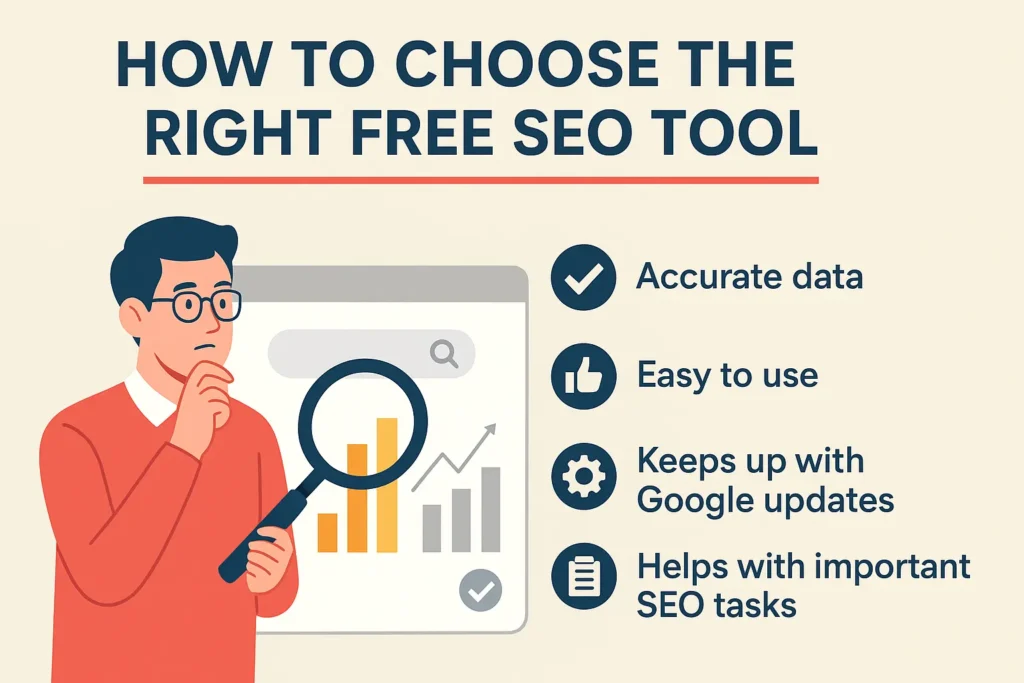
- Accurate data – No guesswork. You want to trust what the tool is telling you.
- Easy to use – You shouldn’t need a 20-page manual just to figure out how to run a site audit.
- Keeps up with Google updates – SEO changes fast, and tools that don’t adapt quickly become useless.
- Helps with important SEO tasks – Keyword research, backlinks, on-page issues, site performance—at least some of these should be included.
If a free tool checks even two or three of these boxes, it’s usually worth adding to your toolbox.
Top Best Free SEO Tools You Should Try
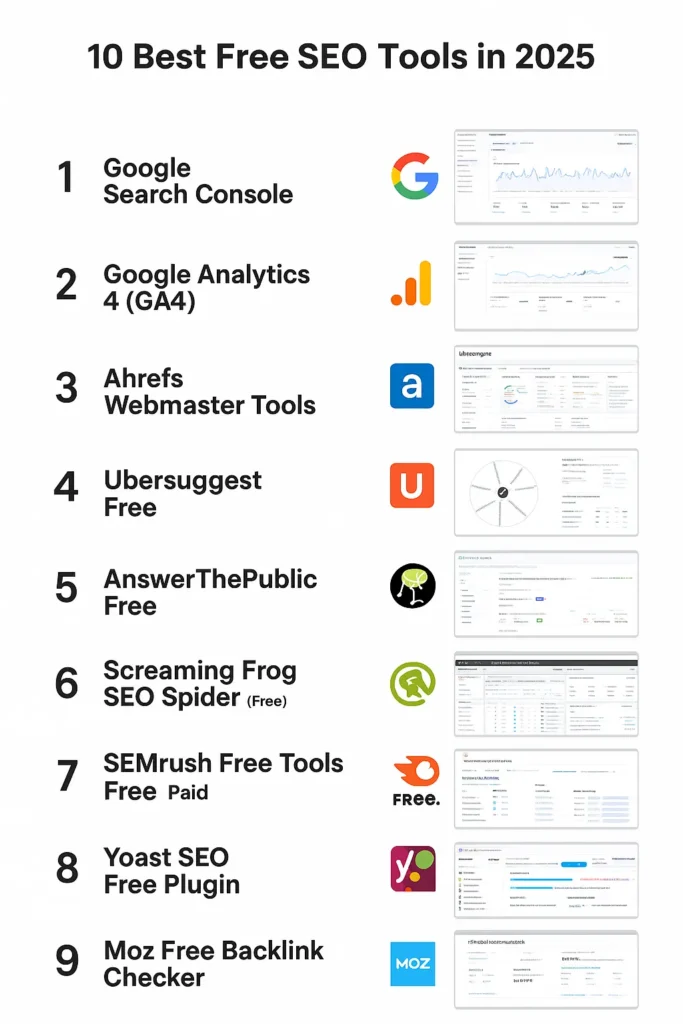
1. Google Search Console
If you only use one free SEO tool, let it be Google Search Console (GSC). It’s Google’s own tool, which means the data is straight from the source—not estimates.
With GSC, you can see exactly how your site is performing in search:
- Which keywords bring in traffic
- How often your pages show up on Google
- Click-through rates and rankings over time
- Technical issues like indexing errors or mobile usability problems
The best part? It’s completely free and doesn’t require any guesswork. I use it daily to spot opportunities—like pages that are ranking on page 2 and just need a little push to get to page 1.
If you’re serious about SEO, Google Search Console isn’t optional—it’s essential.
2. Google Analytics 4 (GA4)
Most people in SEO have a love-hate relationship with GA4. I’ll be honest, when it first replaced Universal Analytics, I didn’t like it either. The dashboard feels different, and you need a bit of time to figure out where things are. But once you get the hang of it, it’s actually pretty solid.
For SEO, GA4 shows you more than just “how many people visited.” You can see where your visitors are coming from, what pages they spend time on, and if they’re actually doing something useful on your site—like filling out a form or clicking through to another page.
The real power comes when you connect GA4 with Search Console. That’s when you can match traffic data with keyword data. In simple terms: you’ll know what’s bringing people in, and whether your content is keeping them around.
3. Ahrefs Webmaster Tools
Ahrefs gets a lot of hype, and for good reason. The paid version is expensive, but the free Ahref Webmaster Tools version is surprisingly useful, especially for smaller sites.
I usually recommend it to clients who want a quick look at their backlinks and overall site health. You can run a site audit, see which pages have issues, and check your backlink profile without spending a penny.
The interface is clean and pretty easy to follow. Even if you’re not a tech person, you can spot broken links, missing tags, or other things that might be holding your site back.
Honestly, I use this tool almost every week. It’s not going to replace the full Ahrefs suite, but for a free tool? It’s more than enough to get real insights and start improving your SEO.
4. Ubersuggest (Free Version)
I’ve been using Ubersuggest on and off for years, and honestly, it’s pretty handy for beginners. It’s not as fancy as Ahrefs or SEMrush, but for free, it does the job.
You can check out which keywords are working for your competitors, see how hard it is to rank for a keyword, and get ideas for new blog posts. The free version limits you a bit—you can only run a few searches per day—but if you’re just starting out, that’s fine.
What I like most is the content ideas section. It shows what’s already getting traffic, so you don’t have to guess. It’s simple, fast, and actually works. I still use it sometimes when I want a quick snapshot without opening a bigger tool.
5. AnswerThePublic
I gotta be honest, the first time I opened AnswerThePublic, I was like… “Whoa, what is all this?” There are circles everywhere, lines, charts—it looks messy. But once you play around with it, it actually makes sense.
Basically, it shows you all the questions people are typing into Google about a topic. So instead of guessing what your audience wants, you can see it right there. I use it when I need blog ideas or when I’m stuck figuring out what content to write next.
The free version isn’t unlimited—you can only do a few searches a day—but that works fine for most small sites. It’s quick, it’s simple, and if you use it right, it can save you hours of guesswork.
6. Screaming Frog SEO Spider (Free Version)
Screaming Frog can feel like a scary tool at first. All those numbers and tabs make you feel like you need a PhD just to figure it out. But once you start clicking around, it’s actually super helpful.
It crawls your whole site and points out things like broken links, missing titles, duplicate content—basically all the little stuff that Google hates but we sometimes forget. It’s not flashy, it’s not fun, but it works.
The free version only lets you crawl 500 URLs, which is enough for most small sites. I usually run it before making big changes or when I want to do a quick site check. Took me a bit to get used to, but now it’s one of those tools I just can’t live without.
7. SEMrush Free Tools
Everyone talks about the paid version, but the free tools are actually pretty decent if you know how to use them. I’ve used them a bunch of times when I just wanted a quick look at a site or a few keywords without paying a dime.
With the free version, you can check basic keyword data, see what your competitors are doing, and even do a mini site audit. It’s not unlimited—you can only run a few reports a day—but for small projects or testing ideas, it’s more than enough.
I usually pop in when I need a fast snapshot of how a page or domain is doing. It won’t replace the full SEMrush suite, but honestly, for free, it gives you some real insight.
8. Yoast SEO Free Plugin
Yoast SEO is one of those tools I always tell beginners about. If you’re on WordPress, it’s basically a must-have. It’s simple, it works, and it doesn’t cost anything.
What I like about it is that it gives you a quick checklist for each page or post—like, is your keyword in the title? Do you have meta descriptions? Are your headings okay? It’s not perfect, but it helps you catch the basics so you don’t forget anything important.
Even if you know SEO well, having Yoast there is nice because it reminds you of the small stuff that can make a big difference. For free, it’s a really handy tool to keep your content in check.
9. Moz Free Backlink Checker
Moz’s free backlink checker is one of those tools I use when I just want a quick look at a site’s backlinks. Honestly, it’s not as detailed as the paid version or Ahrefs, but for a free tool, it gives you enough info to be useful.
I usually pop in a domain and check how many links are pointing to it and which sites are linking. It’s nice when you want to see what your competitors are doing or just get a general sense of your own backlink profile.
It’s super simple—no fancy graphs or overwhelming options. Just type in a URL, and it shows you the basics. For beginners or small businesses, it’s a solid starting point, and it’s free, so why not use it?
10. Keyword Surfer (Chrome Extension)
I love Keyword Surfer because it’s so simple. Honestly, it’s one of those tools I use almost every day without even thinking. It’s just a Chrome extension, so when you Google something, it shows search volume, related keywords, and how competitive they are. Boom, right there on the page.
I usually open it when I’m trying to come up with blog ideas or just checking if a keyword is worth targeting. It’s not going to give you all the deep insights like Ahrefs or SEMrush, but for a quick reality check, it’s perfect. And the best part? Totally free. I’ve been recommending this to beginners for years because it just works.
How to Choose the Right Free SEO Tool
There are tons of best free SEO tools, and if you try to use all of them at once, you’ll just end up confused. I’ve been there.
My advice? Don’t overthink it. Think about what you actually need. Want to see which keywords people are searching for? Go with Ubersuggest or Keyword Surfer. Want to check if your site has broken links or missing tags? Screaming Frog is your friend. Just need to see how people are finding your site and what they’re doing when they get there? Google Analytics 4 and Search Console have you covered.
The trick is to start small. Pick a couple of tools, get used to them, and learn how to read the data. Once you’re comfortable, you can add more. Trying to do everything at once just makes your head spin.
Limitations of Best Free SEO Tools
Best Free SEO tools are great, but they have some limits. Most only let you do a few searches or check a small number of pages. This can be annoying if your site is big.
They also only show the basics. You can see keywords, backlinks, or errors, but for deeper information, like full competitor analysis, you will need paid tools.
It can be old or just an estimate. This does not make the tool useless, but you have to know what to expect.
Free tools are perfect for starting out or fixing small problems. But if you want to grow your site more, you may need stronger tools later.
Expert Tips to Maximize Best Free SEO Tools
Free SEO tools are helpful, but you get the best results if you know how to use them. Here are some tips:
- Pick a few tools and stick with them. Don’t try to use everything at once. Learn each tool well.
- Combine tools. One tool may show keywords, another shows backlinks, another shows errors. Using them together gives a better picture.
- Check data often. Free tools may not update all the time, so check your site regularly.
- Focus on important pages. Don’t try to fix everything at once. Start with your main pages first.
- Take notes. Keep a record of the changes you make and how they affect your traffic.
If you follow these tips, even free tools can help you improve your site a lot.
Conclusion
Free SEO tools can really help, especially if you’re just starting out or your site is small. They let you check keywords, fix errors, see backlinks, and even get new ideas for content.
The thing is, no single tool does everything. It’s better to pick a couple you like, learn them, and use them together. Even with limits, free tools can give you good results if you actually use them.
As your site grows, you might need paid tools for more detailed info. But free tools are perfect to start with. They save money and teach you how SEO works in the real world.
The key is to start small, focus on what matters most, and keep making improvements. That’s how SEO really works—even with free tools.
FAQs
Q.1 What is the best free SEO?
Ans. The best free SEO tool is Google Search Console because it provides accurate, actionable data straight from Google.
Q.2 Is there a free tool to check SEO?
Ans. Yes, there are several free tools to check SEO, including Google Search Console, Google Analytics 4, Screaming Frog (free version), Ubersuggest, and Moz Free Backlink Checker.
Q.3 Is it possible to do SEO for free?
Ans. Yes, it’s possible to do SEO for free using tools like Google Search Console, Google Analytics, Ubersuggest, Screaming Frog (free version), and Moz Free Backlink Checker, combined with consistent on-page optimization, content creation, and backlink building.