
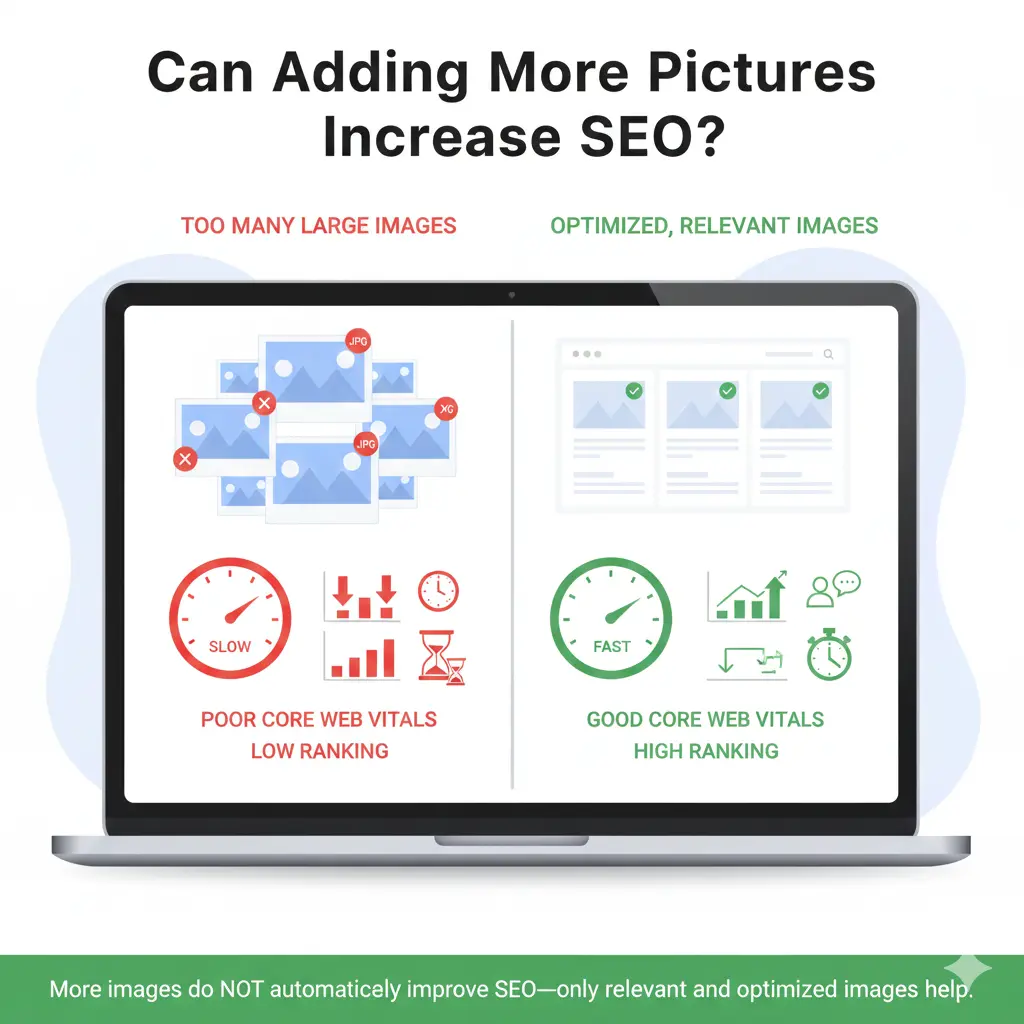
Many site owners ask this question. Can adding more pictures increase SEO. The Answer is Images can support SEO when used correctly. Extra images do not improve rankings. Random images create problems. Large files slow the page. Irrelevant images distract users.
Google checks relevance, page speed and user behavior.
Google does not rank pages based on image count.
Work on real websites shows a clear pattern. Helpful images support the topic. Clear visuals explain ideas faster. They help users stay on the page longer. This usually means the content matches user intent.
This article covers three points:
- When images help SEO
- When images cause problems
- How Google reviews images on a page
The focus stays on practical use based on real-world SEO experience at Aim IT Solution.
Understanding the Role of Images in SEO
Images support SEO, but content leads the page.
Search engines cannot view images like humans. They rely on text to understand images. Alt text describes the image. File names add context. Nearby text explains meaning. Page context links the image to the topic.
When images match the topic, they help Google understand what the page covers. Images also make content easier to follow. A chart, screenshot, or example image can explain a point faster than text alone.
Images alone do not rank a page. A weak article with many images will not outrank a strong article with fewer images.
When Images Work Best
Images perform best when they:
- Support the main topic
- Improve readability
- Add clear value for users
If an image does not help the reader, it does not help SEO.
How Images Influence Search Performance
Images affect search performance, but not directly. They help only when they improve user experience.
Page Engagement
Relevant images improve reading. They break long text and guide the reader’s eyes. Users stay longer, scroll more, and click links. These actions signal engagement. Over time, this can support rankings.
Page Speed
Large images slow pages. Optimized images load faster. Slow pages increase bounce rates. Google measures speed using Core Web Vitals. Image size, format, and loading method affect performance.
Visibility in Image Search
Descriptive file names help images rank. Alt text explains what the image shows. Placing images near relevant text improves context. Blogs and guides can gain extra traffic from image search.
Mobile Experience
Many users browse on mobile devices. Images that do not fit screens cause layout shifts. Layout shifts reduce usability. Proper image sizing improves mobile readability and layout stability.
Summary:
Images influence engagement, speed, image search visibility, and mobile usability. These factors together affect search performance.
Do Images Directly Affect Google Rankings?
Images do not directly increase rankings. Google has never stated that adding more images is a ranking factor. Images help SEO only when they improve page quality.
User Behavior Signals
Useful images keep users on the page. Users read longer and scroll deeper. This shows the page satisfies search intent. Over time, Google can reward such pages.
Content Understanding
Images explain complex points. Screenshots support tutorials. Charts clarify data. Visual examples improve understanding. When users understand content faster, they engage more.
When Images Can Hurt Rankings
Images can hurt SEO when:
- They are too large and slow the page
- There are too many images
- Images are irrelevant
- Alt text is repeated or stuffed
These issues reduce usability and performance.
Practical Insights
Images support content but do not replace it. A strong page with helpful images can perform better than one without images. A weak page with many images will still struggle.
SEO success depends on:
- Helpful content
- Clean structure
- Good performance
Images should support all three.
Why Visual Content Improves SEO
Visuals help users understand content faster. Pages with clear visuals perform better because users stay longer and interact more.
Most users scan content instead of reading every word. Images guide attention and improve flow.
Improve Readability with Visuals
Large text blocks feel heavy. Images break content into smaller sections. This improves readability and keeps users engaged longer.
Build Trust with Real Examples
Original visuals increase credibility. Screenshots, step-by-step images, and real examples show practical experience. This supports E-E-A-T by demonstrating real use and expertise.
Explain Complex Ideas Clearly
Charts explain data. Diagrams show relationships. Visual examples clarify difficult concepts. Users understand faster and explore more.
Support Sharing and Backlinks
Pages with helpful visuals get shared more often. Visual explanations attract backlinks, especially for blogs, tutorials, and guides.
Summary:
Visual content improves clarity, trust, and engagement. These factors support SEO growth over time.
The Connection Between Images, Users, and SEO
SEO works best when content helps users. Images strengthen this connection. Users leave when content feels hard to follow. Images reduce effort by explaining ideas visually.
How Images Improve User Experience
Images help users focus, understand faster, and navigate smoothly. Comfortable users interact more. They scroll, read, and click internal links.
Dwell Time and Bounce Rate
Relevant images can increase dwell time and reduce bounce rate. This works only when images load fast, match the topic, and add value.
Accessibility and Clarity
Alt text improves accessibility for screen readers. It also helps search engines understand images. Clear alt text improves quality and relevance.
SEO Is the Result, Not the Goal
Images should be added for users, not search engines. When users benefit, SEO follows naturally.
Using Images the Right Way in Blog Content
Use images with purpose. A few relevant images work better than many random ones.
Choose Relevant Images
Every image should help the reader. Use:
- Screenshots for tutorials
- Charts for data
- Step-by-step visuals for guides
Avoid stock images that add no value.
Place Images Strategically
Place images:
- After key explanations
- Before new sections
- Near complex points
Avoid random placement.
Write Clear Alt Text
Describe the image clearly. Avoid keyword stuffing.
Bad: SEO image SEO ranking best SEO image
Good: Example of image optimization improving page speed
Optimize Image Size
Compress images before upload. Use WebP format. Resize images to display size. Fast-loading images protect Core Web Vitals.
Balance Text and Visuals
Do not replace text with images. Search engines rely on text. Balanced pages build trust, clarity, and engagement.
Conclusion
Use images that help the reader. Google does not rank pages just for adding more pictures.
Use images to:
- Explain ideas clearly
- Break up long text
- Support tutorials or examples
Optimize images for size and alt text. Place them where they add value.
When images improve understanding and engagement, users stay longer. Google notices these positive signals and rewards the page.